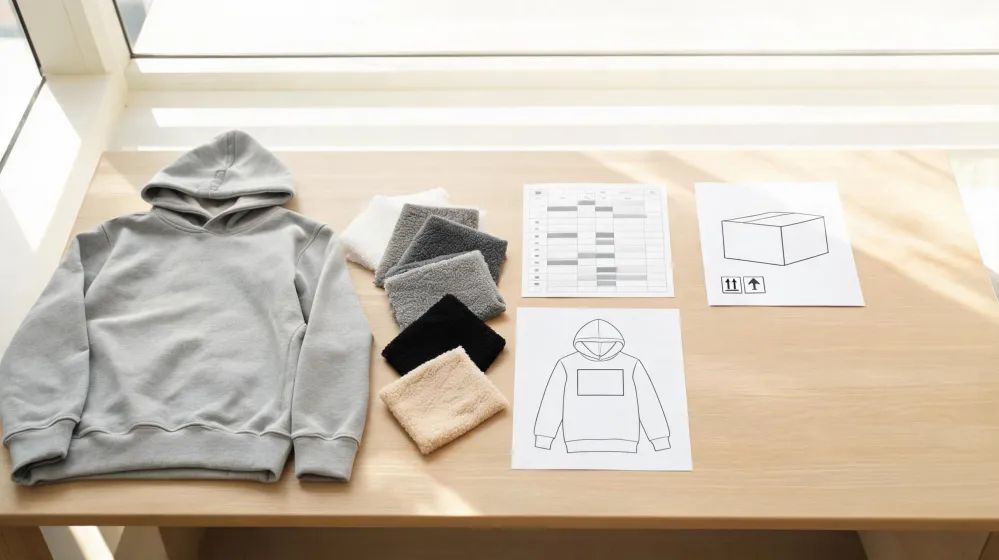
It is Monday morning, I am at my desk with a designer's hoodie print file open on screen and a USB drive sitting beside the keyboard, and the filename reads HOODIE_FINAL_final_v3. Nobody in this chain can tell from that name which version is the one we are supposed to send out for quoting.
Before anyone says a word about the artwork, I check what the file actually is. A better gradient does not rescue a file that cannot be printed, and the format question decides whether the design reaches the machine at all. Everything else on today's list sits on top of that answer.
Day One With a Hoodie Print File in Hand
Day one is intake, and intake has an order to it. I open the file at the size the hoodie will actually carry it, a chest panel or a back panel, and I look at it there rather than zoomed in on a monitor. A design that reads clean in a preview window can fall apart at the width it occupies on the garment, and being annoyed today is cheaper than being annoyed after the sample lands.
Format comes second, not because it is more interesting than the art but because it is the one item a printer cannot quietly fix on my behalf.
The art read comes last. By the time I get to color transitions, I already know whether this is a file that can go out or one that goes back to the designer. Run those steps in the other order and the argument ends up being about a gradient on a file that was never printable in the first place.
The other thing I resist on day one is enthusiasm. Nobody should be complimenting the design in the first ten minutes, because that is how a broken file gets sent to three suppliers and comes back as three polite quotes.
Within the First Hour, Fix the Format
Within the first hour the format question gets settled, and for direct-to-garment printing the answer is PNG. DTG requires files to have a transparent background, and PNG is the format that carries one; the JPG format does not support a transparent background.
That is a background rule, not a sharpness rule, and the difference matters more than it sounds. A JPG can be perfectly crisp and still be unusable here, because whatever sits behind the art in that file can end up on the garment. A white box on a navy hoodie, a navy box on a heather grey one.
The check needs no tools. Place the art over a black swatch and then over a white one on screen. If a rectangle appears around the design, that rectangle can end up in the print, and no amount of design polish will make it disappear.
Printful's graphics guidance describes this for its own hoodie and graphics work, within the product options and regional pages it covers. A candidate supplier running a different workflow may want something else, which is why the file format gets asked per order instead of assumed from the last one.
Two Days Later, Check Gradients at Print Size
Two days later I come back to the same file with one question: does the gradient hold at the size the hoodie prints it? Direct-to-garment work is a good fit for designs on specific areas with small details, many colors and gradients. Good fit is where the check starts, not where it ends.
A ramp zoomed in on a monitor hides its banding, because the screen is showing you a slice of the transition. At print size the whole ramp sits in front of you and each step can become visible, including the ones the designer never noticed.
This is a viewing routine and nothing more. There is no measurement behind it, no colorfastness data, no physical sample at this point in the week, and I will not dress a screen check up as a test result.
What the routine does give me is a place to look: the ends of every ramp and the joins between two close colors. If the file shows stepping at final size, a press is unlikely to invent smoothness that is not in the file, and that conversation is much easier on Wednesday than it is after the bulk run.
By the End of Week One, Send a File Pack
By the end of week one the file pack goes out. It holds the approved transparent PNG and a flattened reference view of the same artwork. The flattened copy exists so a supplier can see what I intend when their preview tool renders transparency in some unexpected way; it is never the file that gets printed.
The question list travelling with it is short and specific. Which print method applies to each garment area. Which file the supplier will actually print from, and in what format. Whether they want the art set into their own garment template before it reaches them. Who performs any conversion, and whether I get to approve that conversion before it runs.
Then the commercial questions, which on this order are still open: unit price, minimum order quantity, capacity in the window we need, lead time to the US, and any certification the buyer's compliance team will ask for. No quote, no MOQ, no capacity audit, no delivery commitment and no certification report sit on my desk at this point, and the pack says so instead of implying otherwise.
A specific question gets a specific answer. A supplier asked which file they will print from usually tells you, and occasionally tells you something about their workflow you would rather learn in week one than in week nine.
Three Weeks Later, Approve the Sample
Three weeks later the sample is on the desk in front of me, and this is where I have to be straight about what I am holding. It is a garment with a print, not a test report. No durability, colorfastness or performance result stands behind what I am looking at, so the approval is a comparison between the sample and my file, not a check against a spec sheet I do not have.
The comparison runs area by area against the design brief: small details first, then the joins between colors, then the ends of the gradients. Each area gets a pass or a query, and the query is written against the file version I approved, so nobody has to argue later about which artwork was on the table.
Suppose the gradient fades to nothing in my file and the sample shows a visible edge there. That is a query on one area, not a rejection of the whole run, and it goes back with the file attached. Where a buyer needs durability or colorfastness evidence, the move is to ask the supplier what documentation they can provide, not to write a claim onto the approval sheet.
Before the Purchase Order, One Check Left
Preflight settles a narrow set of things: the format, the transparency, and how the art reads at the size it will be printed. It says nothing about fabric, construction, durability, the supplier's capacity, or whether their certification covers your market. None of that is established here, and a clean print file should never be read as a clean supplier.
Which leaves one check before the purchase order, and it is not about the artwork at all. Confirm that the exact file the supplier will print from is the same transparent PNG you approved, in the same version, with its transparency intact.
The failure mode to guard against happens after sign-off, when a converted, resized or renamed file quietly replaces the one that was reviewed. Ask for the print file back, open it at size, compare it with yours, and only then let the order go. Everything else on this list can be fixed mid-run; a file that changed after approval cannot be un-printed.
